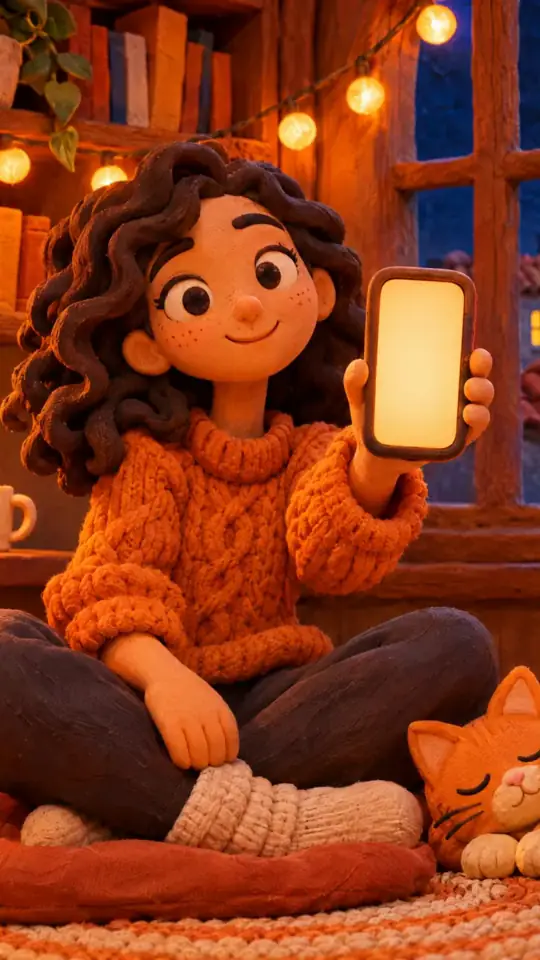
RPG-style tutorial video — Pixel RPG quest style
Make a tutorial played like a pixel art RPG quest: a checklist ticked on the word, a dialogue box, an inventory, a chest and full-screen spells.
Součást plánu Starter, se všemi 81 styly a vlastními · náhled vytvořil engine ClipOnIt
Jak tento styl vypadá
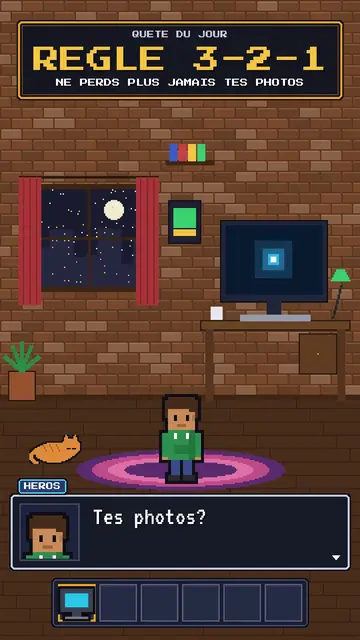
Pixel RPG quest turns your tutorial into a video game played on screen. The set is pixel art: a bedroom at night with the pixel hero, their computer and their cat, or a castle under the northern lights. On top sits an RPG interface: at the top, the checklist of the day's quest, whose steps tick on the spoken word; at the bottom, a dialogue box where the hero or an AI speaks; and an inventory bar with a sword, potion, key or computer.
Frames are golden like in old games, and win moments show a “QUEST COMPLETE” panel, a chest opening with its loot or a counter. Between two chapters, a full-screen spell bursts out, fire, ice, lightning or stars. The camera can zoom into the computer screen, where lines type themselves like in a terminal. The hero changes pose: idle, victory, or casting a spell.
Témata, na která se hodí
Avoid: grave or sad topics: the game tone would make them feel light. Also avoid topics without steps to tick; the quest needs concrete goals, not just a story.
- Step-by-step tech tutorialsEach step is a quest line that gets ticked: viewers know how many are left.
- Digital safety rulesBackups, passwords, updates: the quest makes a chore almost fun.
- Gaming and geek culture videosRPG codes speak straight away to an audience of players.
- Challenges and goalsThe chest and the “QUEST COMPLETE” panel reward the ending, like in a game.
Nápady na videa v tomto stylu
- The 3-2-1 backup rule
The “never lose your photos” quest, the three steps ticked, the chest and the “QUEST COMPLETE” panel.
- Create an unbreakable password
The key in the inventory, the zoom into the screen and the ice spell at the end.
- Install your first local AI
The bedroom at night, the computer typing commands and the AI speaking in the dialogue box.
- The 4 steps to launch your channel
The castle, the checklist ticking and the subscriber counter in the chest.
Získáte to na 1 kliknutí
- Otevřete odkaz na tento styl
Tlačítko „Vytvořit video v tomto stylu“ otevře editor s již vybraným stylem. Bez účtu se registrace zabere minutu a nepotřebujete kartu.
- Napište téma v jedné větě
Stačí jedna myšlenka. Můžete také vložit svůj text nebo přes Starter nadiktovat do mikrofonu: video pak vznikne na základě vašeho hlasu.
- Zkontrolujte a pak vyrenderujte
AI napíše scény, vybere prvky stylu a načasuje je podle slov, včetně hlasu a titulků. Vy opravíte, co nesedí, a vertikální MP4 dorazí za pár minut.
Co můžete upravit
For each scene you pick the set (bedroom, castle or screen), the quest and its ticked steps, the big gold-framed banner, who speaks in the dialogue box and their name, the hero's pose, the lines typed on the screen, up to two panels (quest complete, chest, counter), the entry spell and the inventory.
Často kladené otázky
Zdarma či ne, výstup, použití: krátké odpovědi.
Do I need to know video games?
No. Just write your tutorial in steps: the engine puts them in the quest, ticks each step on the right word and adds the game panels.
Můžu použít vlastní hlas?
Yes. Record yourself or import your audio: steps tick and spells burst on your words.
Čím se liší od Pixel News?
Pixel News tells the news in grey-and-red pixel art, in a TV bulletin tone. Pixel RPG quest turns a tutorial into a game, with a quest, inventory and colourful spells.
Je tento styl v bezplatném tarifu?
Ne, je součástí plánu Starter ($29/měsíc): 15 videí měsíčně bez vodoznaku, všech 81 stylů a vlastní styly. Bezplatný plán nabízí 3 videa měsíčně s vodoznakem v 8 dalších stylech: Pixel News, Press paper, Comedy cartoon, Class sketch, Night tale, Social screen, Retro synthwave a Flat vector.
Pokud se vám tento styl líbí
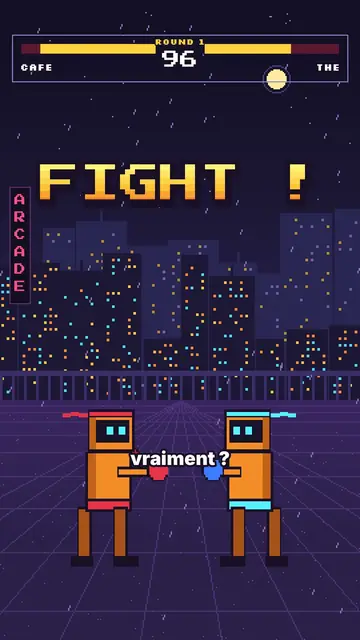
Versus comparison video
Arcade fighter style · Retro brawler pixel art: two robot boxers face to face, arcade HUD, FIGHT! and K.O.!
- Zdarma
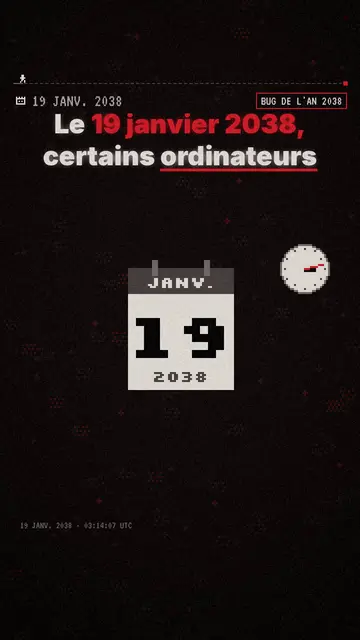
Tvůrce pixel art explainer videí
Styl Pixel News · Šedočervená pixel art, datované HUD, titulky slovo po slovu.
Náladové pixel art příběhové video
Náladový pixel styl · Teplé, tmavé pixel art se zářivě žlutým světlem.
Váš nápad v tomto stylu
Napište větu nebo ji řekněte: styl je už vybraný, když se dostanete do editoru.