Film strip timeline video — Amber film strip style
Make a timeline video on an amber film strip that rolls by: each step in its own frame, glowing burnt holes between scenes and a rolling counter.
Součást plánu Starter, se všemi 81 styly a vlastními · náhled vytvořil engine ClipOnIt
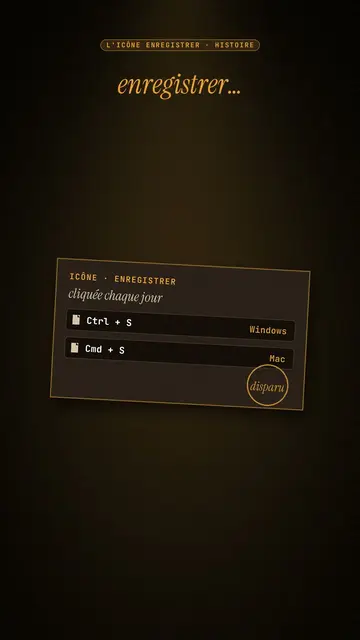
Jak tento styl vypadá
Amber film strip plunges your video into a warm black background, lit by an amber beam like in a projection room. A perforated film strip rolls by and carries the steps of the story in its frames: dates, versions, codes, a commit history. To move on, a glowing burnt hole pierces the image, grows and reveals the next scene, like film heating up in the projector.
At the top, a single word at a time shows along with the voice, in white sans-serif or in amber italic serif for the strong word. A small amber mono label at the very top gives the subject. In the centre, other blocks can take the strip's place: a rolling counter, brown cartridges with their lines, reels, a label, a memory card. A mono terminal can type its lines at the bottom, and the end shows “Comment”.
Témata, na která se hodí
Avoid: topics with no sense of time or steps: the strip needs a sequence to roll through. Also avoid very colourful or cheerful topics; the style stays dark, warm and slightly nostalgic.
- Timelines of objects and inventionsEach film frame is a date: viewers see the object change from era to era.
- Version and code historyThe commit history in the strip and the terminal at the bottom speak to developers.
- Film and retro cultureThe projection room and the reels set a mood straight away.
- The “before / after” of a technologyThe burnt hole revealing the next scene marks the move from one era to the next.
Nápady na videa v tomto stylu
- The Save icon is a vanished floppy disk
The “Ctrl + S” cartridge, the strip with 1971, 1976, 1981, the counter up to 1.44 MB and the end of production in 2011.
- Git explained in 30 seconds
The commit history in the strip, the typing terminal and a burnt hole at each branch.
- The story of the first colour film
The reels, the dates in frames and the word “colour” in amber serif.
- How your phone replaced ten objects
The strip of objects, the rolling counter and the memory card at the end.
Získáte to na 1 kliknutí
- Otevřete odkaz na tento styl
Tlačítko „Vytvořit video v tomto stylu“ otevře editor s již vybraným stylem. Bez účtu se registrace zabere minutu a nepotřebujete kartu.
- Napište téma v jedné větě
Stačí jedna myšlenka. Můžete také vložit svůj text nebo přes Starter nadiktovat do mikrofonu: video pak vznikne na základě vašeho hlasu.
- Zkontrolujte a pak vyrenderujte
AI napíše scény, vybere prvky stylu a načasuje je podle slov, včetně hlasu a titulků. Vy opravíte, co nesedí, a vertikální MP4 dorazí za pár minut.
Co můžete upravit
For each scene you pick the top label, the central block that appears on the word (film strip, counter, cartridge, reels, label or comment card), a terminal at the bottom with its lines, an italic serif line under the block, and an opening through a burnt hole.
Často kladené otázky
Zdarma či ne, výstup, použití: krátké odpovědi.
How many steps fit on the strip?
Each frame carries a short step: a date, a version, a name. Three to six frames per scene stay readable on a phone.
Můžu použít vlastní hlas?
Yes. Record yourself or import your audio: the top word, the strip and the burns follow what you say.
How is it different from Dark archive collage?
Dark archive collage layers front pages and archive photos. Amber film strip rolls a film band carrying the steps, with a single word on screen.
Je tento styl v bezplatném tarifu?
Ne, je součástí plánu Starter ($29/měsíc): 15 videí měsíčně bez vodoznaku, všech 81 stylů a vlastní styly. Bezplatný plán nabízí 3 videa měsíčně s vodoznakem v 8 dalších stylech: Pixel News, Press paper, Comedy cartoon, Class sketch, Night tale, Social screen, Retro synthwave a Flat vector.
Pokud se vám tento styl líbí
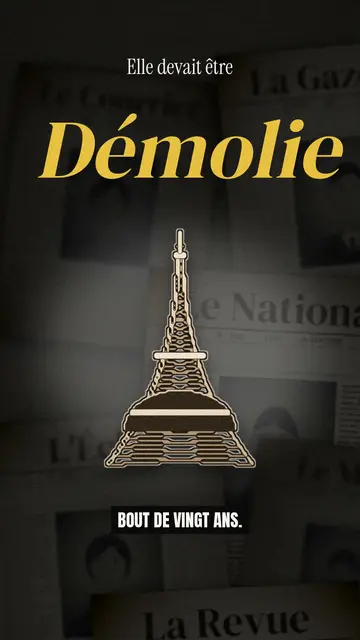
Archive documentary video
Dark archive collage style · Old sepia front pages, cut-out photos and postcards sliding in layers on a dark backdrop.
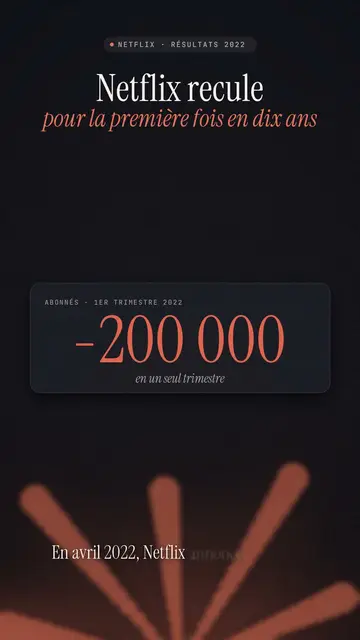
Finance explainer video
Night report style · A financial investigation on a warm dark background, amber glow or coral asterisk, white serif title.
Náladové pixel art příběhové video
Náladový pixel styl · Teplé, tmavé pixel art se zářivě žlutým světlem.
Váš nápad v tomto stylu
Napište větu nebo ji řekněte: styl je už vybraný, když se dostanete do editoru.